
Why asbestos teams need a dedicated enclosure drawing tool
Enclosure drawings help communicate the planned layout where an enclosure is needed. General drawing tools can produce these plans, but the author must arrange suitable symbols, dimensions and a key.
When drawings are maintained in separate files, revisions can leave the document plan and site briefing out of step. A shared project model helps keep the 2D and 3D views aligned as the layout changes.
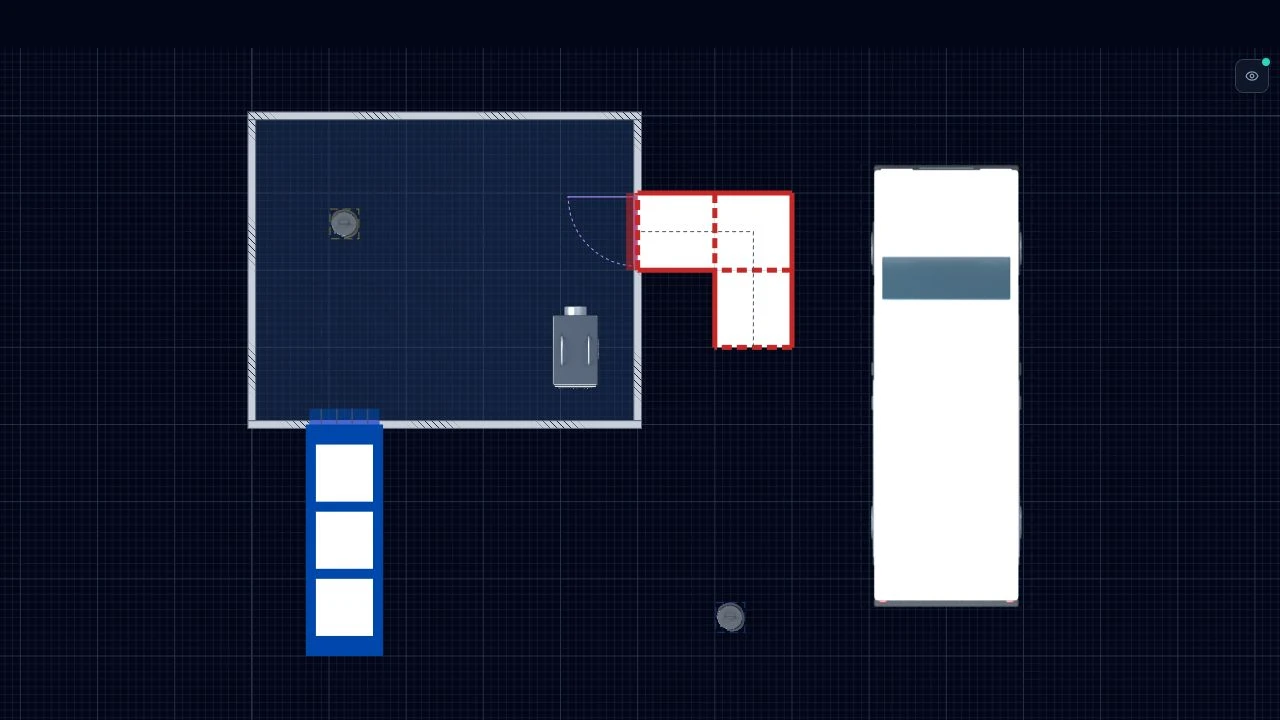
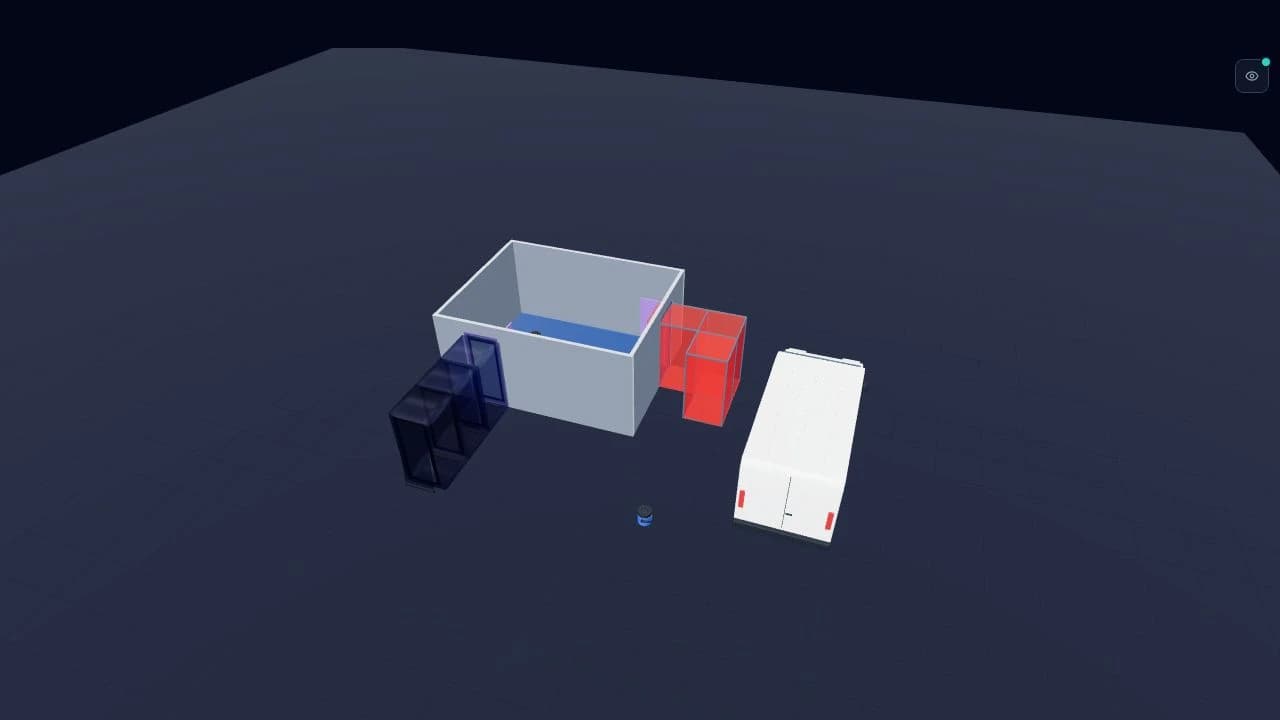
A dedicated enclosure drawing tool keeps layout, assets, 2D plan, 3D visual and export in one project. When access changes or an airlock moves, update the shared project, then export fresh files for any documents already issued.
What you can draw in AsbestoPlan
AsbestoPlan is built around the elements asbestos professionals actually place on site — not generic CAD blocks or clip-art from a slide deck.
- Enclosure walls, work zones and polythene layouts
- Airlocks, baglocks and decontamination sequences
- Negative pressure units, DCUs and monitoring positions
- Decontamination, waste and transit routes
- Warning signs, frames and common equipment
- Floor-plan backdrop tracing on paid plans (upload PNG/JPG/WebP, set real dimensions)
- Matching 2D plan and 3D visual from a single project model
Who uses asbestos enclosure drawing software
Licensed contractors can produce consistent RAMS visuals without a CAD seat. Removal firms can standardise layouts across estimators, planners and document teams. Consultants can use the drawings to communicate scope in tender and progress packs.
Supervisors can use the matching 3D view to brief operatives before build. Document and admin teams can rebuild inherited enclosure visuals in a structured project.
Try a representative drawing in Free Preview to assess whether the workflow fits your team before choosing a paid plan.
Typical workflow: from blank canvas to export
Start with a simple room outline and add detail in stages. Paid plans also support tracing an uploaded floor-plan image.
- Create a project and sketch the room outline (or upload a floor-plan backdrop on a paid plan)
- Draw the enclosure boundary and internal zones
- Place airlocks, baglocks, NPU, routes and signs from the asset library
- Switch to 3D to check the layout from an operative perspective
- Add title block details and review the scene key
- Export PNG, JPG, PDF or SVG and drop into your RAMS, PoW or client pack
What a good enclosure drawing should communicate
An enclosure drawing is a communication tool. It should help reviewers understand where operatives enter, how air and waste move, and where key equipment sits — without replacing the written RAMS or plan of work.
Supervisors typically ask: is the airlock sequence logical, is the NPU positioned correctly, and do routes avoid cross-contamination? Client reviewers ask: does this match the scope we approved? A clear scene key and consistent symbology reduce back-and-forth.
See our guide on what an enclosure drawing should show for a practical checklist you can use when reviewing exports.
How AsbestoPlan differs from CAD, Visio and PowerPoint
CAD supports detailed technical drawing. Visio supports scaled diagrams and reusable stencils. PowerPoint supports presentation layouts. AsbestoPlan focuses on enclosure layouts with a built-in asset library and connected 2D and 3D views; choose according to your drawing requirements.
AsbestoPlan sits in the middle: structured enough for repeatable enclosure planning, light enough for planners and admin authors, with asbestos assets and matching 2D/3D built in. It is planning support — not HSE approval, not compliance certification, and not a replacement for competent professional judgement.
Getting started
Free Preview lets you create up to two saved projects and export watermarked previews — enough to recreate one old drawing and see whether the workflow fits your team. All paid plans add clean exports, floor-plan backdrops and company logos. Business, Team and Company also include reusable templates and team seats. One Project Pass (£29 one-off) covers a single job without a subscription.
Common questions
- Does AsbestoPlan replace RAMS or plans of work?
- No. It produces enclosure layout visuals you can include in those documents. Statutory duties, risk assessment authorship and competent sign-off remain with your organisation.
- Do I need CAD training to use AsbestoPlan?
- The editor is designed for planners, supervisors and document teams without requiring a CAD installation. Guides and videos explain the tools. Touch layouts support phones and tablets; a larger screen with a mouse is best for detailed drawing.
- Can I trace an architect or survey floor plan?
- Yes, on any paid plan. Upload a PNG, JPG or WebP, set real-world width and height in millimetres, adjust opacity and trace walls, zones and assets on top.
- Are 2D and 3D exports from the same layout?
- Yes. One project model drives both views. Move an airlock in 2D and the 3D visual updates automatically — so RAMS, client packs and site briefings stay aligned.
- Is AsbestoPlan HSE-approved or compliance certified?
- No. AsbestoPlan is visual planning support only. Final enclosure design, risk assessment and statutory duties remain with competent asbestos professionals in your organisation.
Related
AsbestoPlan is a planning and communication tool — not HSE-approved or compliance certified. Final enclosure design and statutory duties remain with competent asbestos professionals.