
See how AsbestoPlan fits your enclosure drawing workflow
Interactive product walkthrough with full transcript. Draw 2D, add assets, preview 3D and export — no CAD required.
Your first enclosure plan, step by step
No CAD install, no stencil building — a practical first session in the browser.
- Create a room outline — or upload a floor-plan backdrop on a paid plan and trace over it
- Draw the enclosure walls and sheeting, and use zones to mark work areas
- Place airlocks, baglocks and an NPU from the library; use the route tools to draw waste and transit paths
- Switch between 2D plan and matching 3D view
- Add a title block and scene key on export
- Export a watermarked preview on Free Preview (clean exports on paid plans)
AsbestoPlan Academy
See the editor in action
Watch short, narrated tutorials on rooms, planning assets, routes, 2D and 3D views, and export. Browse freely — no account needed.
Browse video tutorialsExplore the interactive overview below, or follow the step-by-step video tutorials in the AsbestoPlan Academy.
Interactive walkthrough
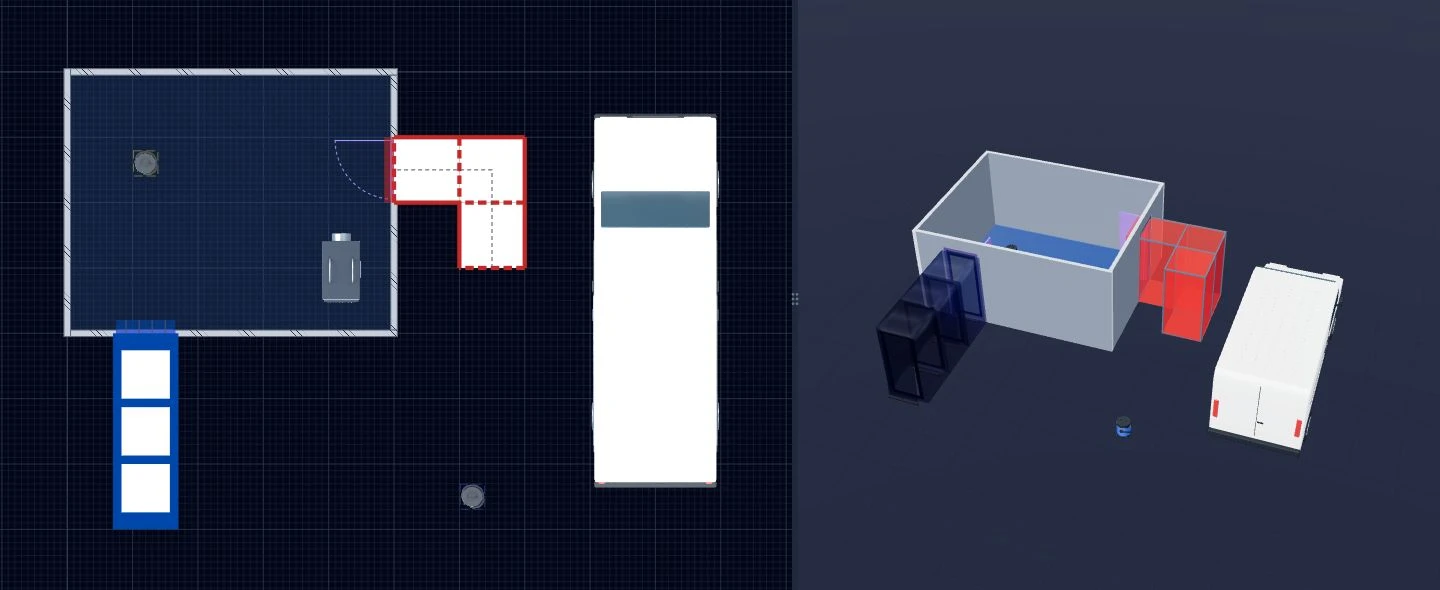
Step 1 of 5
The old way
Copied drawings, Visio stencils and PowerPoint slides — rebuilt for every job, hard to scale and often mismatched between 2D RAMS and site briefings.
Read the walkthrough
AsbestoPlan product overview. The steps below describe the workflow; this is not a timed recording.

Keeping separate drawings up to date can make revisions harder. AsbestoPlan connects the 2D plan and 3D view in one enclosure project.

In AsbestoPlan you draw the room and enclosure on a snap-to-grid canvas. On paid plans you can upload a floor-plan image, set real-world dimensions and trace on top.

Place airlocks, baglocks, NPUs and warning signs from the asset library, then draw paths with the route tools. Everything stays in sync between views.

Switch to 3D to brief site teams visually. It is the same project model — not a separate rebuild.

Export the 2D plan and 3D visual with your title block and scene key. Drop both into RAMS, client packs or site briefings.

AsbestoPlan is planning support only — not HSE approval or a replacement for RAMS, plans of work or competent sign-off.
AsbestoPlan is a planning support tool — not HSE-approved or compliance-certified. Final enclosure design and statutory duties remain with competent asbestos professionals.