Choose a useful starting layout
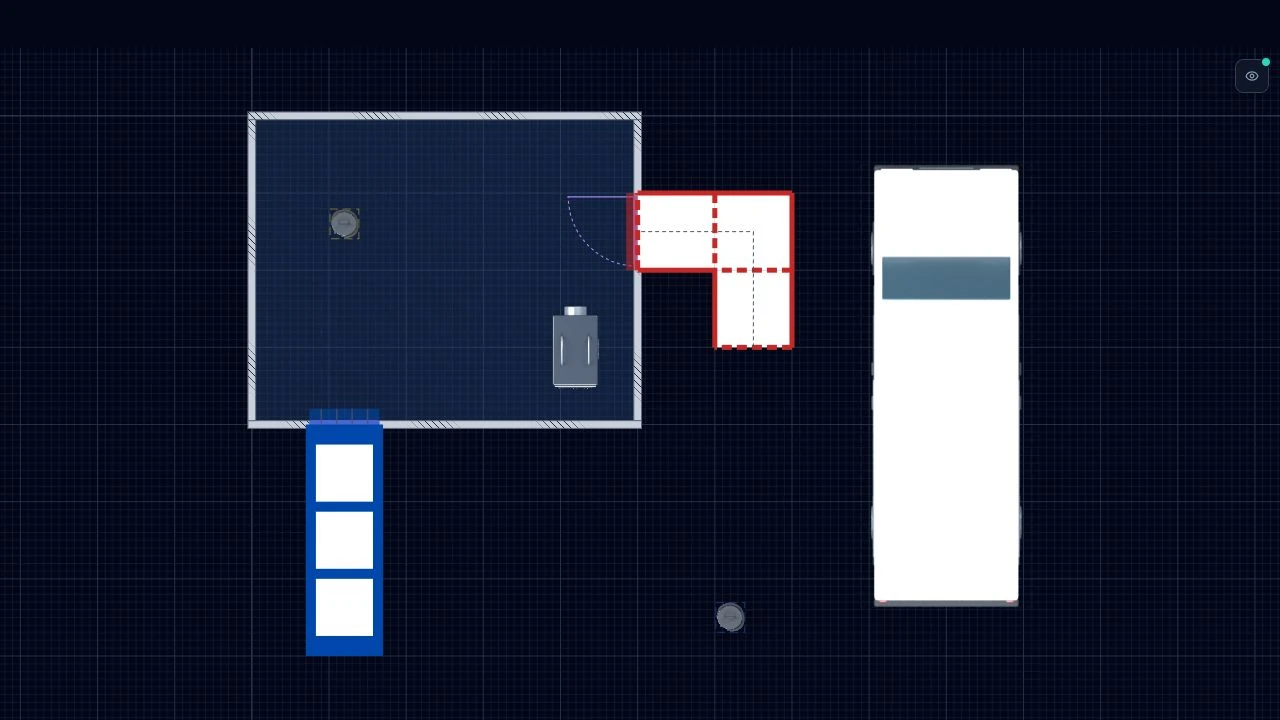
The fictional room example above shows the kind of geometry and planning assets you can prepare as a starting point. It is an editor example, not a downloadable approved enclosure template. Choose a clear name that describes your own template’s purpose.
Before saving, review which walls, objects and labels belong in the reusable starting model. Remove job-specific details that a future author could mistake for current information. A template should make the next review easier, not carry unexamined decisions into it.
Save and reuse a template in the editor
Open Project → Templates and choose Save as template. Enter a name and save the drawing snapshot. It becomes available when you create a new project.
Create a new project from the saved template, enter the new job details, and inspect the copied layout before editing it. The new drawing is a separate project. Updating a template does not revise projects already created from it, or files already downloaded.
- Check room dimensions and openings against the new site information.
- Review equipment positions and routes for the new arrangement.
- Set the new drawing title, number and revision before export.
Personal templates and company templates
Personal templates are your own saved drawing snapshots. Business, Team and Company also support shared company templates. Where your workspace permissions allow it, use Save as company template so colleagues can start their own drawings from a shared baseline.
Sharing a company template does not give colleagues live editing access to the original CAD project. Template management controls depend on your role. Use the workspace’s review process to decide which templates should remain available.
Check both views and issue fresh files
Review the new project in 2D and 3D, then generate fresh exports for its document pack. Inspect the key, title block and intended print scale. The sample export pack shows the output format before you sign up.
Shared company templates require a Business, Team or Company workspace. If you only need clean output for one drawing pack, compare the pass with the subscription plans before choosing.
Common questions
- Is a saved template a completed plan of work?
- No. It is a drawing starting point. The written plan of work, site-specific decisions and professional review remain part of your existing process.
- Will changing a template update previous projects?
- No. Review and edit each affected project separately, then export fresh files for its document pack.
- Which plans support shared company templates?
- Business, Team and Company support shared company templates. A personal template is a separate drawing snapshot saved under your own account.
Related
AsbestoPlan is a planning and communication tool — not HSE-approved or compliance certified. Final enclosure design and statutory duties remain with competent asbestos professionals.