By AsbestoPlan · Published 2026-06-16 · Updated 2026-10-01 · Planning support only — not compliance advice
Airlock and baglock symbols

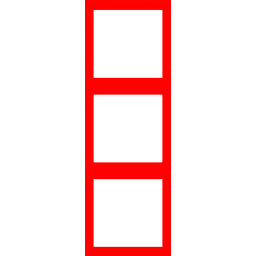
An airlock symbol identifies the planned personnel access arrangement; a baglock identifies the material-transfer arrangement. The library thumbnails below distinguish these categories. Once placed, chamber size, stage count and layout are configurable: check the drawing itself, not just the thumbnail.
Use the same equipment name and identifier in the drawing key and the written documents. The pictured layouts are generic planning symbols, not recommended arrangements for a particular site.
NPU and roving-head symbols
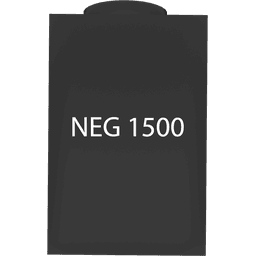

NPU means negative pressure unit. Its symbol marks the modelled equipment position. AsbestoPlan also includes a separate Roving Head asset; show that item and its label where required by the agreed drawing, rather than using an extra NPU symbol to represent it.
A symbol does not establish airflow, equipment suitability or the required number of units. The Extraction planning panel estimates from entered enclosure volume and assigned NPU figures; it does not measure airflow or simulate pressure. Use the site-specific design and competent review for those decisions.
DCU symbols
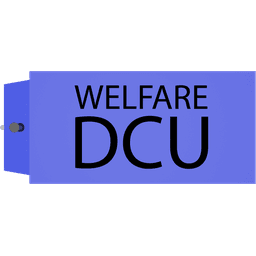
DCU means decontamination unit. The library has several generic unit representations. Choose the visual that matches the information you are communicating, then check the model dimensions and label. A DCU and an enclosure airlock are separate items; do not give them the same identifier.
Routes and the drawing key
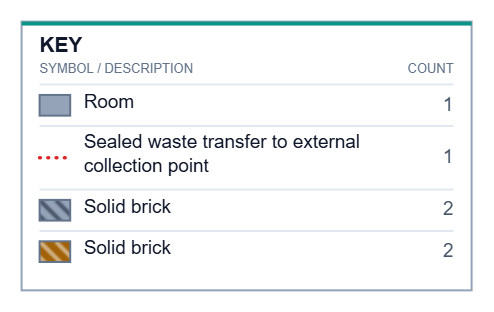
A route line explains movement through the drawing. Give each route a clear purpose and distinguish routes with labels and line styles as well as colour. Follow each line from its origin to its destination and check that another reader can do the same.
This actual key excerpt shows how line style and object appearance are explained together. It comes from a fictional demonstration drawing; it is not a standard set of safety signs.
- Match equipment identifiers and route names to the current written document.
- Check that the visible key describes the symbols actually used on this sheet.
- Read the exported file at the size the recipient will use.
- After moving an item or changing a route, export a fresh file and replace the old attachment.
Further reading and examples
Was this helpful?
Your feedback helps us improve these instructions.
Try it on a real layout
Recreate a layout with the drawing tools. Free Preview includes 2 saved projects and watermarked PNG/JPG exports. Floor-plan uploads require a paid plan.
Start freeFor step-by-step editor demonstrations, browse the video tutorials.